STEP 01Enter text
Type or paste text that stays in the current browser.
Turn text into common document files with clean spacing or preserved line breaks. Keep the default white page, choose a calm built-in background, or upload your own image and preview it first.
Loading tool workspace…
Type or paste text that stays in the current browser.
Choose a layout and white, built-in or custom background, then preview the result.
Confirm the text, layout and background preview, then generate the document.
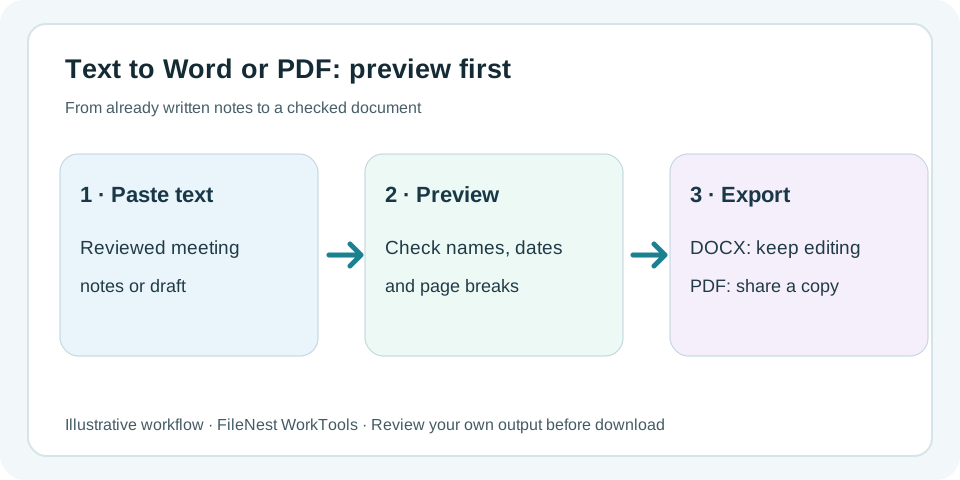
Paste finalized notes and create an editable Word file or shareable PDF.
Add an image you are allowed to use, soften it for readability and export a visual notice.
Review editable text first, then choose a clean layout and calm background for download.
DOCX, PDF, TXT, Markdown and HTML are working formats. PDF, Word and HTML can retain page backgrounds; TXT and Markdown are plain-text formats without backgrounds.
Yes. No formatting preserves line breaks, and the page stays white unless you actively choose a built-in template or upload an image.
No. Text, preview, built-in templates and custom background images are processed in this browser. FileNest servers do not store the body text or background image.
PDF gives the most consistent visual result. Word keeps editable text and a page background, but rendering may vary slightly between office apps and versions.
When you already have the text and only need a usable document, paste it here, review the layout, then create an editable or shareable file without rebuilding the content line by line in a blank document.
Type or paste text and create DOCX, PDF, TXT, Markdown or HTML from the same reviewed content.
Choose DOCX when you want continued editing or PDF when you want a more stable page appearance for sharing.
Body text, preview, built-in templates and custom background images are processed in the current browser rather than stored by FileNest just to create the file.
Paste the already approved note. Create a DOCX if editing will continue or a PDF for a relatively stable copy. Open the download to check names, dates and the last line; this tool cannot verify meeting decisions, convert an existing PDF to Word or use a 24H Pass for text-to-document.
Only evidence directly relevant to this tool is listed below, with its testing or disclosure boundaries.
49/49 version-pinned export-core assertions passed, with DOCX/PDF and other exclusions stated.
View evidenceCheck whether current working-file contents stay browser-local or use an explicitly disclosed transient-cloud path.
View evidenceA free account securely records conversion credits on the server; file contents still stay in this browser. Sign in or register