STEP 01Add files
Choose files from your device; their contents are not uploaded.
Drop in a folder's worth of files, combine prefix, suffix, text replacement and numbering rules, then review every old-to-new name before download.
Loading tool workspace…
Choose files from your device; their contents are not uploaded.
Combine rules and adjust file order at any time.
Review every name, resolve conflicts and package the copies.
Standardize attachments with project names, versions and delivery order.
Keep extensions while adding a date, prefix and zero-padded sequence.
Replace an old project name across a batch without touching file contents.
No. FileNest downloads renamed copies inside a ZIP. Your originals remain unchanged.
No. Name previews and ZIP packaging happen inside your current browser.
Extensions stay on by default, and the preview shows the exact final result before download.
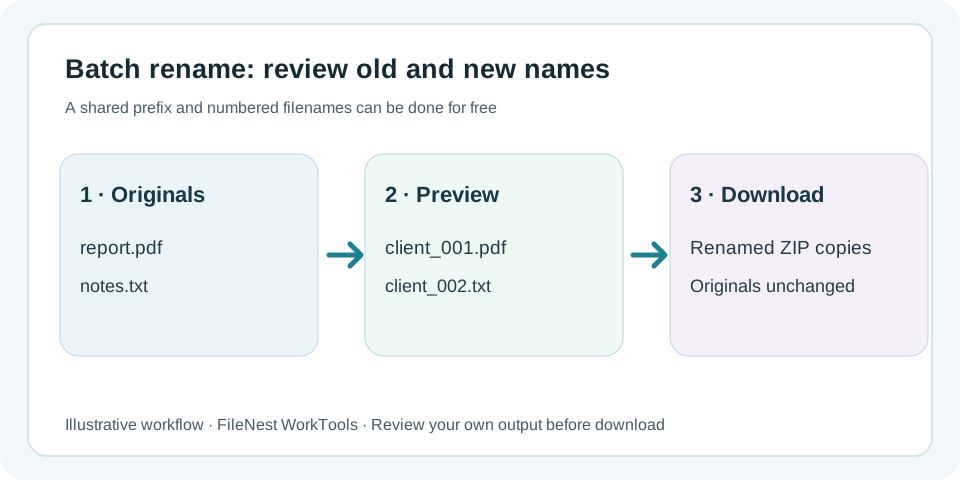
When many filenames need the same cleanup, add the files first and build the rule while watching the before-and-after preview. Combine prefixes, suffixes, text replacement and numbering, resolve conflicts, then download renamed copies instead of changing the originals in place.
Add a shared prefix or suffix, replace repeated text and keep the original extensions without editing filenames one by one.
Number the current order with a chosen start, increment and padding so names such as 001, 002 and 003 sort predictably.
Rename preview and ZIP packaging run in the current browser, and FileNest does not overwrite originals. Use Pro regex, CSV mapping or saved templates when structured naming becomes recurring work.
For one common prefix, use the free basic rule. If each invoice needs a different approved customer ID, review original,new pairs before considering Pro CSV mapping. Check missing rows, duplicate targets and extensions before download; FileNest does not verify customer identity.
Only evidence directly relevant to this tool is listed below, with its testing or disclosure boundaries.
Review production behavior for preflight previews, collision and unsafe-name blocking, original-file protection and image-batch de-duplication.
View evidenceCheck whether current working-file contents stay browser-local or use an explicitly disclosed transient-cloud path.
View evidenceor choose multiple files from your device
The website cannot view your file contents