STEP 01Add files
Choose images; free or Pro limits are checked immediately.
Convert up to three images into one consistent format. Processing stays in your browser, and only successful files count toward the daily quota.
Loading tool workspace…
Choose images; free or Pro limits are checked immediately.
Set format, ratio, zoom and enhancement with the exact credit cost shown.
Inspect dimensions, bytes and warnings, then download individually or as a ZIP.
Turn PNG or JPG files into smaller WebP assets.
Standardize suitable assets as PNG.
Convert images to widely compatible JPG and choose the output quality.
Each successful file drops out of the count 24 hours later. You do not need to wait until midnight.
No. A file counts only after the browser successfully creates its result.
No. Conversion, crop and compression run in this browser. Use the separate local image OCR tool when you need to extract text.
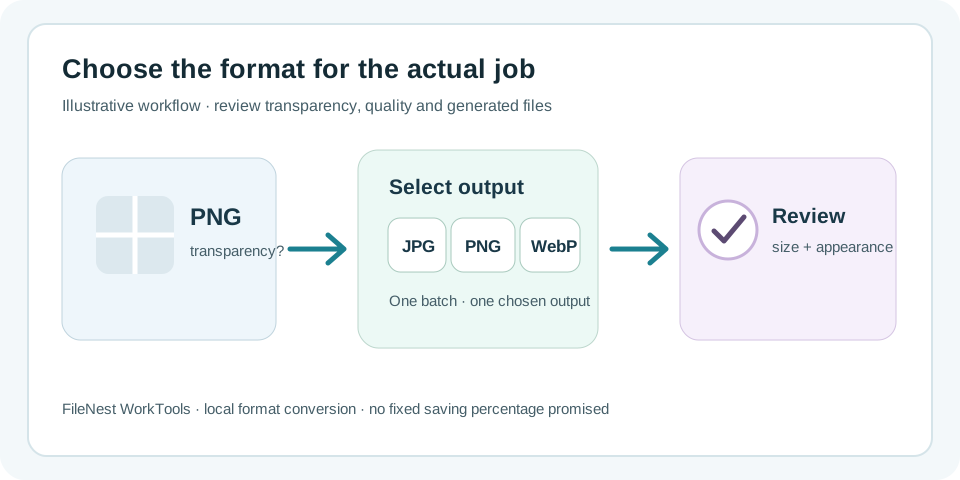
Use the existing image workspace when a set of files needs one consistent output format. Add the batch, choose JPG, PNG or WebP, review quality and generated files, then download without uploading the source images.
Use JPG when transparency is not required. Preview the result before batch download so transparent PNG backgrounds do not become an unexpected output.
Convert suitable JPG website assets to WebP in one batch, then inspect the generated file size and visual result rather than relying on a promised saving percentage.
Convert WebP files to PNG when downstream software or delivery rules require PNG. Format conversion does not create image detail that was absent from the source.
Only evidence directly relevant to this tool is listed below, with its testing or disclosure boundaries.
Review production behavior for preflight previews, collision and unsafe-name blocking, original-file protection and image-batch de-duplication.
View evidenceCheck whether current working-file contents stay browser-local or use an explicitly disclosed transient-cloud path.
View evidenceFree: up to 3 files, 25 MB each
Conversion, crop, zoom and enhancement all stay on this device